
Why Eye Care Matters in the Digital Age
For most of us, a screen is the first thing we look at in the morning and the last thing we see at night. Office employees spend hours on laptops and desktops, students switch between online classes and mobile notes, remote workers sit through back-to-back video calls, and gamers often play well into the evening. Even our breaks usually happen on a phone.
After long hours like these, tired, dry or strained eyes are very common. This is usually called digital eye strain. It is generally temporary, and small changes to your habits and workspace can make a real difference to how your eyes feel.
This guide explains what digital eye strain is, which symptoms are commonly reported, and the practical eye care tips for screen users that eye-care organisations suggest. It also clears up the blue light question and explains when it is time to see an eye specialist. It is general education, not a diagnosis or a substitute for an eye examination.
What Is Digital Eye Strain?
Digital eye strain, also called computer vision syndrome, is a group of eye and vision-related symptoms that can appear after long periods on computers, tablets, phones or other digital devices. Mayo Clinic notes that the American Optometric Association uses the term computer vision syndrome for this problem.
Several things tend to happen together during long screen sessions:
- You blink less. Blinking spreads tears across the eye and keeps its surface moist. The American Academy of Ophthalmology (AAO) says that focusing on digital screens can reduce a person’s blink rate by a third to a half, which tends to dry out the eyes.
- Viewing distance and angle are often less than ideal, especially on phones and laptops.
- Glare, reflections and poor contrast make text harder to see comfortably.
- Sustained near focus keeps the focusing muscles of the eye working without a rest.
Reduced or incomplete blinking matters most for comfort. When tears evaporate faster than they are replaced, eyes can feel dry, gritty or irritated. Mayo Clinic says people who look at screens two or more hours in a row every day have the greatest risk, and Cleveland Clinic notes that some research suggests continuous screen use for at least two hours can be enough to trigger symptoms.
Digital Eye Strain vs. an Underlying Eye Condition
Eye strain is usually not serious and eases once you rest your eyes or change your setup. The AAO states that using devices does not permanently damage your eyes, although staring at them for a long time can cause temporary discomfort.
However, Mayo Clinic points out that symptoms can sometimes signal an underlying problem, such as uncorrected vision (refractive error), dry eye disease or an eye muscle imbalance. That is why symptoms that do not settle deserve a proper eye check rather than guesswork.
What Is Well Established and What Is a Comfort Habit?
That long screen sessions are linked with temporary strain and dryness is well described by major eye-care bodies. Many of the tips below, such as the 20-20-20 rule, adjusting lighting or using night mode, are widely recommended comfort habits. They are sensible and low-risk, but they are not guaranteed cures, and results vary from person to person.
Common Symptoms of Excessive Screen Use
Commonly reported symptoms of digital eye strain include:
- Tired, sore or strained eyes
- Dryness, burning, itching or irritation
- Blurred vision, especially after long sessions
- Headaches
- Difficulty focusing, including when you look up from the screen
- Neck, shoulder and back discomfort linked to screen posture
Mayo Clinic also lists watery eyes, increased sensitivity to light and difficulty concentrating.
These symptoms are not specific to screens. They can also come from uncorrected vision, dry eye disease, tiredness, stress, bright light or dry air, among other causes. Avoid assuming that every symptom is “just screen strain”, and do not try to diagnose yourself. An eye examination is the reliable way to find out what is going on.
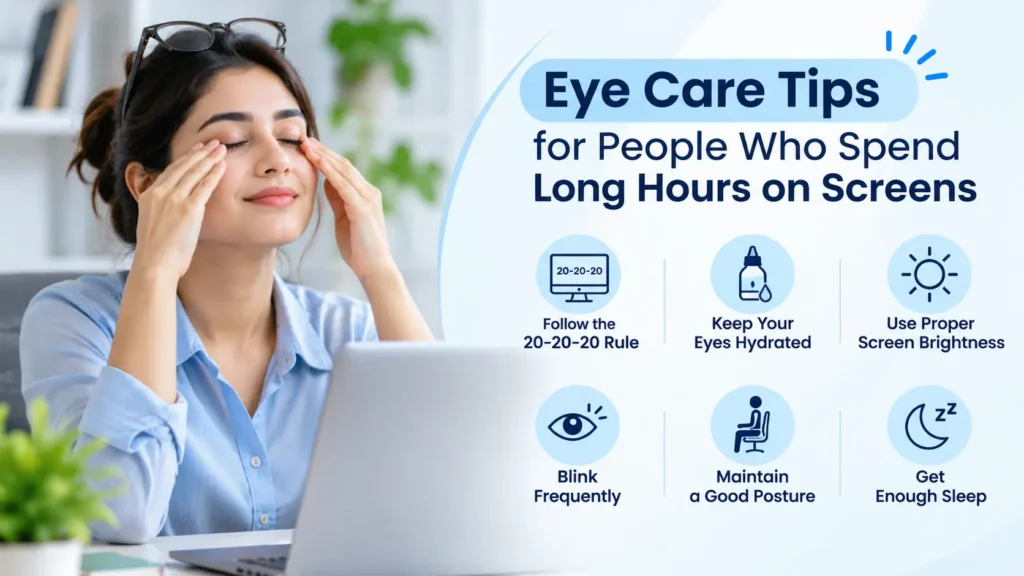
Follow the 20-20-20 Rule
The 20-20-20 rule is a simple break habit recommended by the AAO and Mayo Clinic:
- Every 20 minutes,
- look at something about 20 feet (roughly 6 metres) away,
- for at least 20 seconds.
Looking into the distance gives your focusing muscles a chance to relax after sustained near work, and it prompts you to blink fully. A window, a far wall or the other end of the office all work well.
A few ways to make the habit stick:
- Set a repeating timer or reminder on your phone or computer.
- Pair the break with a sip of water or a quick stretch.
- Use the 20 seconds for a few slow, complete blinks.
Think of this as a practical comfort habit, not a guaranteed treatment or proven cure. Some people need longer or more frequent breaks. If symptoms continue despite regular breaks, an eye check is the sensible next step.
Adjust Your Screen Brightness and Display Settings
Small changes to your display can reduce the effort your eyes have to make.
- Match brightness to your surroundings. The AAO notes that if a screen is much brighter than the light around it, your eyes have to work harder. A glowing screen in a dim room, or a washed-out one in a bright room, is a sign to adjust.
- Enlarge the text. Mayo Clinic suggests increasing type size so you are not squinting or leaning forward to read.
- Improve contrast. If text looks faint, increase contrast or switch to a clearer colour scheme.
- Reduce glare. A matte screen filter (AAO) or an anti-glare cover (Mayo Clinic) can help, along with adjusting the angle of the screen.
- Use night mode or warmer colours where helpful. The AAO suggests nighttime settings that reduce blue light, which many people find more comfortable in the evening.
Warm colour settings and blue-light filters are comfort options. They are not a guaranteed way to prevent digital eye strain or to protect against eye damage. More on this in the blue light section below.
Maintain the Right Screen Distance and Posture
Mayo Clinic recommends placing a monitor directly in front of you, about an arm’s length away, with the top of the screen at or just below eye level. The NHS also advises keeping a computer screen just below eye level to help with dry eyes. Avoid holding any screen very close to your face. Mayo Clinic also lists poor posture and workstation setup among the factors that can make eyestrain worse.
Laptop Users
Raise the laptop on a stand or a stack of books and use a separate keyboard and mouse if possible. This keeps you from hunching over a low screen.
Desktop Users
Keep the monitor directly in front of you, not off to one side. Use an adjustable chair with your feet flat on the floor and your back supported.
Tablet Users
Use a stand or a propped-up case instead of holding the tablet low on your lap, which pulls your neck down and brings the screen close to your eyes.
Smartphone Users
Hold the phone at a comfortable distance and raise it closer to eye level instead of bending your neck. Increase the font size, and avoid long sessions in the dark. For long videos or reading, a larger screen may be easier on your eyes than a phone.
Blink Regularly and Prevent Dry Eyes
When you concentrate on a screen, you blink less often, and some blinks may not fully close the eyelids. Each complete blink spreads a fresh film of tears over the eye, so fewer blinks can leave the surface dry.
- Blink on purpose. Mayo Clinic suggests making it a habit to blink more often when looking at a monitor.
- Use breaks to blink fully. Pair a few slow, complete blinks with each 20-20-20 break.
- Avoid direct airflow. Mayo Clinic lists dry moving air from fans, heaters and air conditioners as a trigger. Ceiling fans and air-conditioner vents are common in Indian homes and offices, so try moving your chair or redirecting the airflow away from your face.
- Consider humidity. Mayo Clinic and the National Eye Institute mention humidifiers as one way to keep indoor air from becoming too dry, where practical.
If dryness persists, do not ignore it. The NHS advises seeing an optician or GP if your eyes are still dry after trying home treatments for a few weeks, and getting urgent help if your eye is painful and red.
Lubricating drops (artificial tears) are sometimes suggested for dryness, but the right type depends on the person. Mayo Clinic cautions that redness-relief drops may worsen dry-eye symptoms. Other eye drops contain antibiotics or steroids and treat specific conditions, so they should only be used when prescribed. Ask an eye specialist or pharmacist what suits you. Readers curious about the company’s eye-care division can see the Yeux Care ophthalmic range on the Rosette Pharma website; none of those products is presented here as a treatment for screen-related eye strain.
Keep Your Workspace Eye-Friendly
Your surroundings affect your eyes as much as the screen does. Mayo Clinic notes that the worst glare problems usually come from light sources above or behind you, such as fluorescent tubes and sunlight. It suggests turning off some overhead lights, closing blinds, using an adjustable desk lamp for paperwork, and not placing your monitor directly in front of a window or white wall.
Use this quick workspace checklist:
- Screen about an arm’s length away and directly in front of you
- Top of the screen at or slightly below eye level
- Brightness roughly matched to the room, with no strong glare or reflections
- Window light coming from the side, not straight behind or in front of the screen
- Overhead lights dimmed or shaded if they cause glare, with a desk lamp for reading and writing
- Text large enough to read without leaning forward or squinting
- Chair adjusted so your feet rest flat and your back is supported
- Printed papers on a document holder near screen height, as Mayo Clinic suggests
- No fan or air-conditioner vent blowing directly onto your face
- A reminder set for short breaks, plus a longer stretch-and-walk break every hour or two
Do Blue Light and Mobile Screens Damage Your Eyes?
Blue light worries many people. It helps to separate four ideas that often get mixed up:
- Digital eye strain. This is driven mainly by how we use screens: fewer blinks, close distance, glare and long periods of focusing. Cleveland Clinic notes that many screen-related eye problems are not caused by blue light itself.
- Blue-light exposure. The AAO says there is no scientific evidence that the blue light from digital devices damages the eye, and that the small amount from computer screens has never been shown to harm your eyes.
- Sleep and body clock. The AAO explains that too much blue light from screens in the evening can disrupt the body’s natural sleep cycle by slowing the production of melatonin, the sleep hormone.
- Permanent damage claims. The AAO states that using devices will not permanently damage your eyes, though long viewing can cause temporary discomfort. There is no credible basis for the claim that ordinary screen use causes blindness.
What about blue-light glasses? A 2023 Cochrane review of 17 randomised trials found that blue-light filtering lenses may not reduce eye strain from computer work, compared with non-filtering lenses, over the short term. The effects on sleep were unclear, and no trial measured effects on retinal (macular) health. Cleveland Clinic adds that although these glasses are not effective at preventing digital eye strain, wearing them is not harmful.
The practical takeaway: breaks, a good setup and comfortable lighting matter more than special lenses. In the evening, lowering screen brightness, using night mode and giving yourself a screen-free wind-down before bed are sensible habits for comfort and sleep.
Healthy Daily Habits That Support Eye Comfort
- Take regular screen breaks. Short breaks through the day matter more than one long break at the end of it.
- Step outside when you can. Time outdoors is a simple way to give your eyes a distance-viewing break. Wear sunglasses in strong sun.
- Get enough sleep. Tired eyes feel worse when you are tired, and Mayo Clinic lists fatigue and stress among the causes of eyestrain.
- Eat a balanced diet and stay hydrated. These support general health, but no food, vitamin or supplement has been shown to reverse screen-related eye strain. Mayo Clinic says omega-3 fatty acids may help some symptoms but that more study is needed, and suggests talking to an eye specialist before taking supplements.
- Use prescribed glasses or contact lenses correctly. Uncorrected vision can cause or worsen strain. Mayo Clinic notes that glasses prescribed for computer use help some people. The NHS lists contact lens wear as a risk factor for dry eyes, so ask your eye specialist if your lenses feel dry.
- Schedule regular eye examinations. The National Eye Institute stresses that many eye diseases have no early warning signs, so a comprehensive eye exam is important even when your vision seems fine. How often depends on your age, prescription and health, so ask your eye specialist.
When Should You Consult an Eye Specialist?
Make an appointment with an optometrist or ophthalmologist if you notice:
- Persistent blurred vision
- Repeated headaches
- Ongoing eye pain or redness
- Persistent dryness or irritation
- Difficulty focusing
- Symptoms that continue despite changes to your screen habits
Mayo Clinic advises seeing an eye specialist if self-care steps do not relieve your symptoms. It helps to note how many hours you spend on screens, how your workspace is set up and when symptoms are worst.
Seek urgent medical attention for sudden vision loss, severe eye pain, or a sudden significant change in your vision. Do not wait for these to settle on their own.
A Simple Daily Eye-Care Routine for Screen Users
This routine is a practical starting point. Adjust it to your own work or study schedule.
| When | What to do |
|---|---|
| Before starting screen work | Set up your workspace using the checklist above. Adjust brightness and text size, set a 20-minute reminder, and wear your prescribed glasses or lenses if you have them. |
| During working hours | Follow the 20-20-20 rule, blink fully and deliberately, keep a comfortable distance and posture, and take a longer stand-and-walk break every hour or two. |
| During breaks | Look out of a window or step outside, drink water, and avoid switching straight from your work screen to your phone. |
| After work | Spend some time away from screens, such as a walk or time with family. If your contact lenses feel dry by evening, ask your eye specialist about wearing glasses for part of the day. |
| Before bedtime | Lower screen brightness, use night mode, and put screens away for a wind-down. Note any symptoms that keep coming back so you can mention them at your next eye check. |
Make Eye Care Part of Your Screen Routine
Long screen hours are part of modern life, and tired eyes do not have to be. Regular breaks, a screen set at the right distance and height, deliberate blinking, comfortable lighting and sensible evening habits can all make screen time easier on your eyes. None of these is a guaranteed cure, but together they are simple, low-risk and worth building into your day.
If discomfort lingers, or if you notice pain, redness or changes in your vision, see an eye specialist rather than relying on guesswork. For more general health guides from Rosette Pharma, a pharmaceutical company established in 2006, you can browse its Health & Wellness articles.
Medical References
- Mayo Clinic. Eyestrain: Symptoms and causes. https://www.mayoclinic.org/diseases-conditions/eyestrain/symptoms-causes/syc-20372397
- Mayo Clinic. Eyestrain: Diagnosis and treatment. https://www.mayoclinic.org/diseases-conditions/eyestrain/diagnosis-treatment/drc-20372403
- American Academy of Ophthalmology. Digital Devices and Your Eyes. https://www.aao.org/eye-health/tips-prevention/digital-devices-your-eyes
- American Academy of Ophthalmology. Should You Be Worried About Blue Light? https://www.aao.org/eye-health/tips-prevention/should-you-be-worried-about-blue-light
- American Academy of Ophthalmology. News release: Protect your eyes from too much screen time. https://www.aao.org/newsroom/news-releases/detail/protect-your-eyes-from-too-much-screen-time
- Cleveland Clinic. Computer Vision Syndrome. https://my.clevelandclinic.org/health/diseases/24802-computer-vision-syndrome
- Cleveland Clinic. Do Blue Light Blocking Glasses Actually Work? https://health.clevelandclinic.org/do-blue-light-blocking-glasses-actually-work/
- NHS. Dry eyes: Causes. https://www.nhs.uk/conditions/dry-eyes/causes/
- National Eye