
Pricing decides whether a pharma franchise plan works on paper before it ever reaches the market. Franchise partners, distributors, stockists and retailers all need to know what a product costs them, what it can be sold for, and how much of that gap is left after real business costs.
That is where PTS, PTR and MRP come in. This guide explains the terms in plain language, shows the formulas with hypothetical figures, and walks through how to use a PTS PTR calculator for pharma franchise pricing. It answers these questions:
- What do PTS and PTR mean?
- How are PTS, PTR and MRP related?
- How does a PTS/PTR calculator work?
- How can a franchise partner estimate the trade margin?
- What additional costs affect actual profit?
- How can Rosette Pharma’s calculator help?
A calculator makes pricing arithmetic more consistent, but it cannot remove uncertainty. Trade terms, schemes, taxes, price-control rules and running costs all affect what a business actually earns. Every rupee figure in this article is hypothetical and is not Rosette Pharma’s actual price, margin or cost.
What Is PTS in Pharma?
PTS stands for Price to Stockist. In common Indian trade usage, it is the price at which a manufacturer or marketing company sells a product to a stockist, also called a distributor or wholesaler. A stockist holds inventory and supplies retailers in an area, and often manages credit and delivery.
PTS is trade terminology, not a statutory term. No single legal definition applies identically to every company, and price lists may differ in what they include. Some companies quote PTS before GST, while others present prices differently.
The invoice price can also differ from the listed PTS because of discounts, schemes, free goods, taxes or credit terms. Before relying on any figure, a franchise partner should confirm which price basis the company is using.
What Is PTR in Pharma?
PTR stands for Price to Retailer. It is the price at which a retailer or chemist buys the product, usually from a stockist. In a typical chain, PTR is higher than PTS because the stockist’s margin sits between the two prices.
The gap between PTR and MRP generally covers the retailer’s margin and applicable taxes, since the printed MRP includes tax. How the retailer’s margin is measured depends on the price list. It may be stated as a percentage of PTR, of MRP, or of another base.
A stated PTR is not always the actual purchase cost. Cash discounts, scheme offers and bonus units can change what a retailer really pays. For example, a hypothetical PTR of ₹100 with a 5% scheme discount gives an effective cost of ₹95.
Difference Between PTS, PTR, and MRP
| Term | Full Form | What It Generally Represents | Who Commonly Uses It | What to Verify |
|---|---|---|---|---|
| PTS | Price to Stockist | The price at which the company sells to the stockist or distributor | Manufacturers, marketing companies, stockists | Price basis, GST treatment, discounts, schemes and credit terms in the current price list |
| PTR | Price to Retailer | The price at which the retailer buys, usually from the stockist | Stockists, retailers, sales teams | Whether it is stated before or after GST, the margin base, and any schemes |
| MRP | Maximum Retail Price | The highest price a customer can be charged, printed on the pack and inclusive of applicable taxes | Retailers, customers, regulators | The printed MRP, and the ceiling price if the product is price-controlled |
In the usual supply chain, the manufacturer or marketing company sells to a stockist at PTS. The stockist sells to a retailer at PTR, and the retailer sells to the customer at no more than the MRP. A PCD franchise partner may operate at one of these levels, and which price applies depends on the written agreement.
This table describes common trade usage. It does not replace the product’s actual price list, invoice terms or applicable regulations.
How Does a PTS/PTR Calculator Work?
A PTS/PTR calculator takes a few known figures, such as MRP, GST rate and margin percentages, and applies a formula to work out the remaining prices. Different tools use different conventions, so the result is only as reliable as the match between the tool’s formula and your actual price structure.
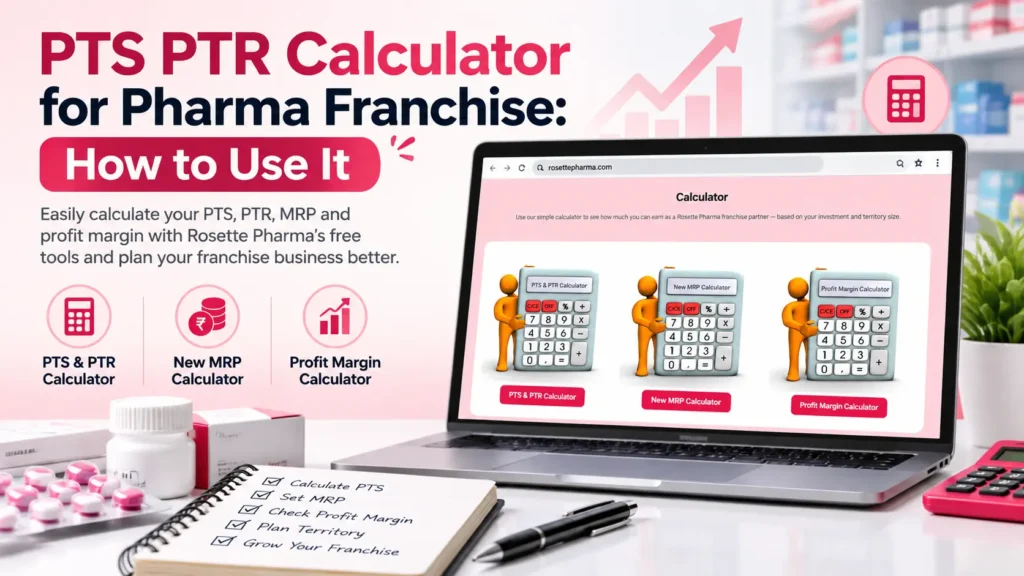
Rosette Pharma’s calculator asks for four values: MRP (₹), Retail Margin (%), GST (%) and Stockist Margin (%). It has Calculate and Reset buttons, and its results area shows PTR (₹), PTS (₹), Retail Margin (%) and Stockist Margin (%). The page also includes brief instructions, a formula section and a worked example.
The page shows no separate field for discounts or schemes, and it takes a single GST rate. Apply discounts, schemes and product-specific terms yourself before drawing conclusions.
PTS PTR Calculation Formula Explained
A commonly used simplified relationship applies when PTR is the base price and the stockist margin is a percentage of PTR:
PTS = PTR × (1 − s)
Here, PTS is the price to stockist, PTR is the price to retailer, and s is the stockist margin written as a decimal. A 10% margin means s = 0.10, so PTS = PTR × 0.90. Working backwards, PTR = PTS ÷ (1 − s).
Use this only when the margin is defined as a percentage of PTR. Other conventions calculate margin on the purchase price, the selling price, MRP or another base, and these must not be mixed. A margin of 10% on PTR is the same gap as a markup of about 11.11% on PTS.
GST adds another step. Because MRP includes GST, the price before tax is:
Price before GST = MRP ÷ (1 + GST rate)
For example, a hypothetical MRP of ₹105 with 5% GST gives a pre-GST value of ₹100. GST rates on medicines changed from 22 September 2025, and the official GST FAQ published by the Government of India states that medicines are kept at a concessional 5% rate, except those specified at a nil rate. The rate for a particular product depends on its classification, so check it before calculating. When a rate changes, the printed MRP changes too, and Rosette Pharma’s New MRP Calculator After GST Change shows that arithmetic.
Price-controlled medicines need extra care. A 2016 Lok Sabha reply from the Ministry of Chemicals and Fertilizers states that DPCO 2013 allows a retailer margin of 16% of PTR when ceiling prices of scheduled formulations are fixed, with applicable local taxes added. That is a markup on PTR, equal to about 13.8% of the pre-tax ceiling price (16 ÷ 116). Confirm the current position on the NPPA website for any product you evaluate.
None of these is a universal legal or accounting formula. Company-specific trade terms may require additional steps.
Worked Example — Calculating PTS, PTR, and Trade Margin
This example is hypothetical. It assumes prices exclude GST, there are no discounts or schemes, and the stockist margin is 10% of PTR.
| Item | Value | Note |
|---|---|---|
| PTR | ₹100 per unit | Hypothetical, before GST |
| Stockist margin | 10% of PTR | Calculated on PTR, the stockist’s selling price |
| Calculation | ₹100 × (1 − 0.10) | PTS = PTR × (1 − s) |
| PTS | ₹90 per unit | Result under these assumptions |
| Difference between PTR and PTS | ₹10 per unit | Gross difference, not net profit |
| Same gap as a markup on PTS | 11.11% (₹10 ÷ ₹90) | Shows why margin and markup differ |
The ₹10 is the difference between the stated PTR and PTS, not necessarily the stockist’s net profit. Actual profit depends on transaction terms, discounts, taxes, logistics, credit costs and other expenses.
Retailer margin needs the same discipline. A retailer margin of 16% of PTR is a different number from 16% of MRP. State the base before calculating, and never combine a margin based on MRP with a markup based on purchase cost.
How to Use Rosette Pharma’s PTS/PTR Calculator Step by Step
The steps below follow the field names and buttons on Rosette Pharma’s PTS & PTR Calculator for Pharma page.
- Open the calculator page and find the four input fields.
- Enter the product’s printed MRP (₹).
- Enter the Retail Margin (%) for the price structure you want to test.
- Enter the applicable GST (%). Check the rate for your actual product first.
- Enter the Stockist Margin (%). The page does not ask you to choose a calculation base, so confirm the base your price list uses.
- Click Calculate. The results area shows PTR (₹), PTS (₹), Retail Margin (%) and Stockist Margin (%). Reset clears the fields.
- Compare the displayed figures with the formulas published on the page and with your own working.
- Check the result against the product’s current price list and invoice terms.
- Note the result in your own records. The page does not show a save or download option.
Treat the output as a pricing estimate. Discounts, schemes and product-specific terms still have to be handled separately.
How Pharma Franchise Partners Can Use PTS/PTR Calculations for Profit Planning
Consistent pricing calculations can support several planning tasks:
- Comparing price structures across products.
- Estimating gross trade margins.
- Reviewing the relationship between stockist and retailer pricing.
- Seeing how different discount structures change the numbers.
- Comparing the commercial terms of potential products.
- Planning product mix and inventory.
- Checking whether a price structure fits your distribution strategy.
These calculations alone cannot determine final profitability. They show a price relationship, not demand, collections or costs.
Gross Margin vs Actual Profit in a Pharma Franchise
Gross margin and actual profit are different measures, and confusing them is one of the costliest planning errors.
- Purchase cost is what you pay for the goods.
- Selling price is what you charge your customer.
- Gross margin is selling price minus purchase cost, shown as a percentage of selling price.
- Markup is the same gap shown as a percentage of purchase cost.
- Discounts and schemes reduce what you actually earn.
- Operating costs include freight, warehousing, sales and promotion, delayed customer payments, expired or damaged stock, and other expenses.
- Taxes and accounting treatment apply on top, so ask your accountant how each item is treated.
The table below is a hypothetical monthly illustration for a distributor. It is not Rosette Pharma’s actual margins or costs.
| Item | Hypothetical Amount |
|---|---|
| Sales at PTR | ₹1,00,000 |
| Purchases at PTS | ₹90,000 |
| Gross difference (10% of sales) | ₹10,000 |
| Schemes and discounts given | ₹1,500 |
| Freight | ₹1,000 |
| Delivery and staff | ₹2,500 |
| Warehousing and other costs | ₹1,000 |
| Cost of credit and delayed payments | ₹500 |
| Expired or damaged stock | ₹500 |
| Total deductions | ₹7,000 |
| Remaining before income tax | ₹3,000 (3% of sales) |
A 10% gross difference shrank to 3% once costs were counted. Customer credit deserves particular attention, because money tied up in unpaid invoices cannot fund new stock. This guide on how to calculate working capital for a PCD pharma franchise explains that side of the business.
To test your own figures, Rosette Pharma’s Profit Margin Calculator has fields for sale value, purchase value, scheme (%), cash discount (%) and several expense heads. A calculator gives an estimate from the inputs you provide. It does not guarantee earnings or replace bookkeeping and financial planning.
Common PTS/PTR Calculation Mistakes to Avoid
- Confusing PTS with PTR.
- Entering a percentage on the wrong calculation basis.
- Mixing margin and markup.
- Treating the PTS-to-PTR difference as net profit.
- Ignoring discounts or schemes.
- Forgetting to confirm whether prices include or exclude GST.
- Assuming every product has the same margin.
- Ignoring price-control requirements.
- Using a calculator result instead of checking actual company pricing.
- Assuming a calculated margin guarantees sales or profitability.
How to Verify Pharma Product Pricing Before Making a Business Decision
- Get the current company price list.
- Confirm the applicable MRP and invoice price.
- Review the trade terms in writing.
- Check discounts and schemes.
- Verify the GST rate and tax treatment.
- Check whether price-control requirements apply to the product.
- Confirm the purchase and selling price basis.
- Add up all costs before estimating net profit.
The 2016 reply mentioned earlier also notes that for medicines outside price control, MRP increases are limited to 10% a year. Your final calculation should match the actual product, transaction and regulatory context.
How Rosette Pharma Can Support Pharma Franchise Product Planning
Rosette Pharma is a pharma company established in 2006 and based in Karnal, Haryana. Its website offers a PCD pharma franchise page that explains the model, and its divisions page links to the product list for each range.
The calculators mentioned in this article can help you perform pricing calculations more consistently and transparently. They do not replace the current price list. Ask for prices, margins and commercial terms in writing, and review the actual terms before making a decision.
Frequently Asked Questions
1. What is PTS in the pharmaceutical industry?
PTS means Price to Stockist, the price at which a company commonly sells to a stockist or distributor. It is trade terminology, so confirm how each company defines and quotes it.
2. What is PTR in pharma?
PTR means Price to Retailer, the price at which a retailer commonly buys from a stockist. Discounts and schemes can make the actual purchase cost differ from the stated PTR.
3. What is the difference between PTS, PTR, and MRP?
PTS is the stockist’s buying price and PTR is the retailer’s buying price. MRP is the highest price a customer can be charged and includes applicable taxes.
4. How do I calculate PTS from PTR?
If the stockist margin is a percentage of PTR, use PTS = PTR × (1 − margin). A hypothetical PTR of ₹100 and a 10% margin gives ₹90. Do not use this if your company defines margin differently.
5. How is the stockist margin calculated?
It depends on the price list. It may be a percentage of PTR, of PTS or of another base, and these give different results. Confirm the base in writing.
6. Is the difference between PTS and PTR the actual profit?
No. It is a gross difference. Discounts, freight, storage, staff, credit costs, expired stock and taxes reduce what remains.
7. Does a PTS/PTR calculator automatically include GST?
It depends on the tool. Rosette Pharma’s calculator has a GST (%) input field, but you still need to confirm whether your price list figures are before or after GST.
8. Can I use PTS/PTR calculations to estimate pharma franchise profit?
You can estimate gross trade margins. Net profit also depends on sales volume, discounts, collections and operating costs, so treat the result as an estimate.
9. Why can trade margins differ between pharmaceutical products?
Margins depend on company policy, product category, taxes, trade terms and whether price-control rules apply. Never assume one margin fits every product.
10. Where can I find Rosette Pharma’s PTS/PTR calculator?
It is listed under the Margin Calculator menu on the Rosette Pharma website as the PTS & PTR Calculator for Pharma. The same calculator also appears on the PCD pharma franchise page.
Conclusion
PTS is the price to the stockist, PTR is the price to the retailer, and MRP is the printed maximum price that includes tax. A calculator can speed up the arithmetic, but only if its formula matches your price list’s margin base, GST treatment and discount terms.
Above all, keep gross trade margin separate from actual profit. Freight, credit, expiry losses and running costs can shrink a healthy-looking margin quickly.
If you are evaluating a franchise, try Rosette Pharma’s PTS/PTR calculator with your own figures, explore the franchise information on the website, and confirm current prices and terms in writing. A pricing calculator supports planning, but it does not replace a full business plan.